


Unlimited access opens in
30
Days
30
Hours
30
Minutes
30
Secs
Get free access
Free Weekend · November 21–22, 2026

48 hours of unlimited retouching. Free.

On November 21–22, process as many photos as you want with every Retouch4me tool available in the cloud. No credits spent. No limits on the number of photos.
Free account · No credit card · Windows & macOS
How it works

Get ready before
Free Weekend starts.

Register now
Create your free account. It takes less than a minute.
Install Apex
Download Apex, sign in, and pick the shoot you want to retouch.
Retouch without limits
On November 21, open Apex and see "Free Weekend activated". Process every photo you want until November 22 ends.
New to AI retouching?

Routine is on us.
Creativity is on you.

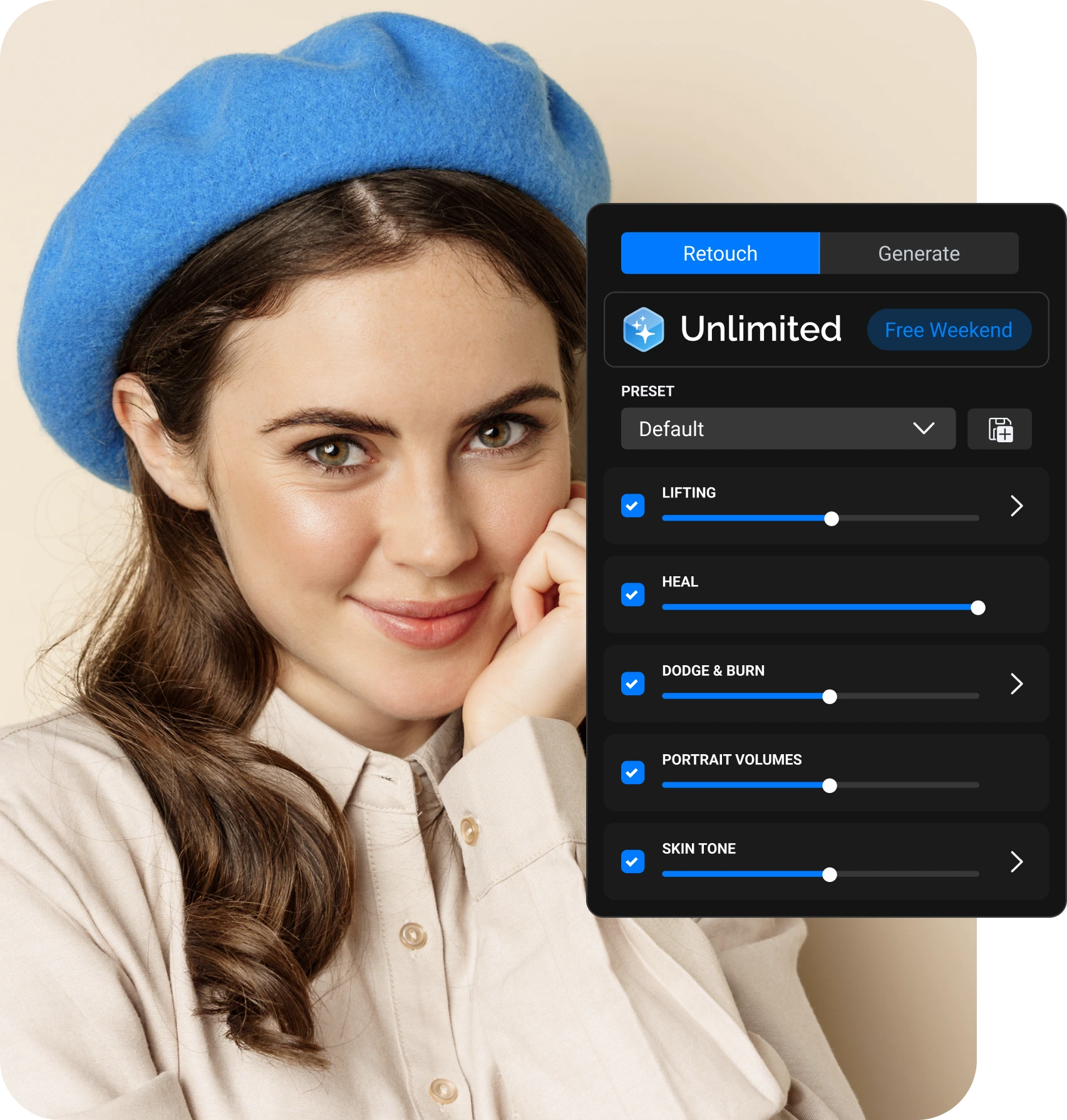
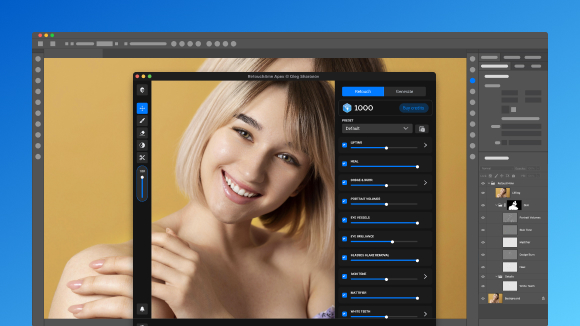
Apex is AI retouching built by photographers for photographers. It takes care of skin, stray hairs, glasses glare, clothing and backgrounds in seconds, so your time goes into shooting, not post-processing.
Up to 80%
Less retouching time. Hours of routine back for shooting and clients.
Your workflow, your rules
Pick the tools you need and set the strength for each. The final look is always yours.
Built by photographers
We know tight deadlines and long nights in post. Every model is trained on our own professional photos.
Natural results
AI that understands photography. Real skin texture, no plastic look.
Pick your job

What will you retouch this weekend?

Pick the job you actually have. AI handles the routine.

You keep the final say.
Weddings & events
One wedding. Hundreds of portraits.
Two days without limits. Test batch retouching on a real wedding, not a demo image. Save one preset and apply the same look to the whole gallery.
Heal
Skin Tone
Eyes Bundle
White Teeth
Fabric
Try it free
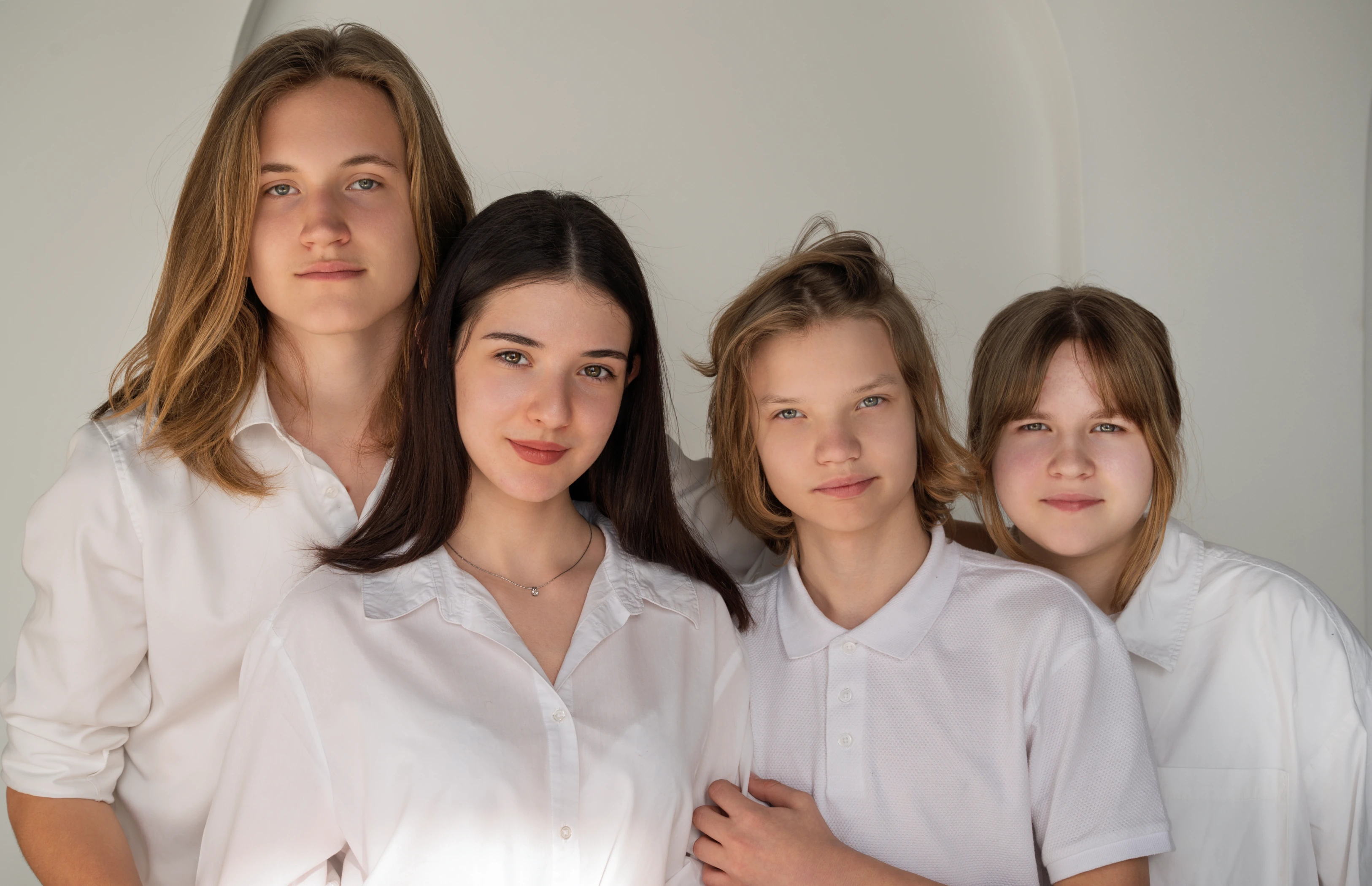
Portrait of four young people standing close together against a plain light background, wearing white shirts, with neutral expressions.
School & corporate
Hundreds of faces. One consistent look.
Heal
Stray Hairs
Glasses Glare Removal
Fabric
Clean Backdrop
Clean skin, tidy hair, no glare on glasses, smooth clothing and an even backdrop. The same accurate result across the entire series.
Try it free
Portrait, family & studio
Real skin. Faster delivery.
Clean skin, tidy hair, no glare on glasses, smooth clothing and an even backdrop. The same accurate result across the entire series.
Heal
Dodge & Burn
Portrait Volumes
Skin Tone
Clean Backdrop
Try it free
Beauty & fashion
Faster technical retouch. Your style intact.
Let AI take care of shine, tone and small imperfections. Skin texture stays real. Creative decisions stay yours.
Mattifier
Dodge & Burn
Portrait Volumes
Skin Tone
Lifting
Try it free
Creators
Polished photos. Still you.
Profile photos, thumbnails, content for your feed. Upload a photo, choose the effects, export. No editing skills needed.
Heal
Mattifier
White Teeth
Eyes Bundle
Clean Backdrop
Try it free
New to retouching
Start retouching today. No experience needed.
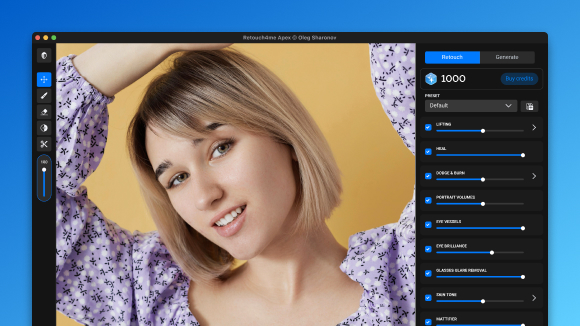
Open a photo in Apex, choose your effects and adjust the intensity. You get a natural result without learning complicated software.
Heal
Skin Tone
Clean Backdrop
White Teeth
Eyes Bundle
Try it free
Photoshop pros
AI does the routine. You keep control.
Run Apex inside Photoshop and get the result back as layers. Mask, adjust or refine by hand, exactly as you do now.
Dodge & Burn
Portrait Volumes
Heal
Fabric
Clean Backdrop
Try it free
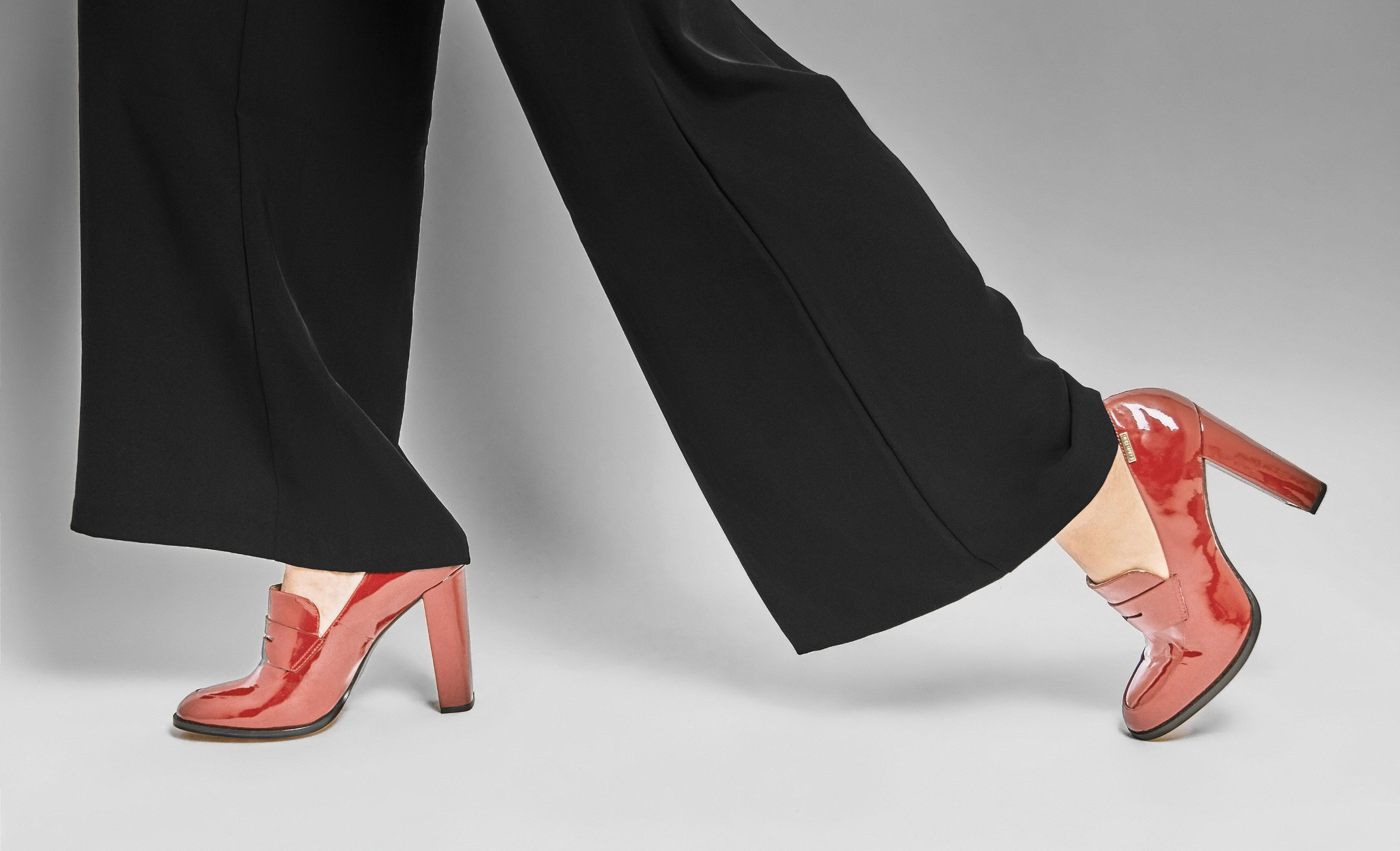
Person wearing black wide-leg pants and shiny red high-heeled shoes, with one foot flat on the ground and the other foot lifted on the toes.
E-commerce & product
Clean products. Clean backgrounds. The whole catalog.
Remove dust and specks, clean up studio backdrops and smooth fabric across every product shot. One consistent look for the entire catalog.
Clean Backdrop
Dust
Fabric
Try it free
Batch processing in Apex

Bring the shoot you've been putting off

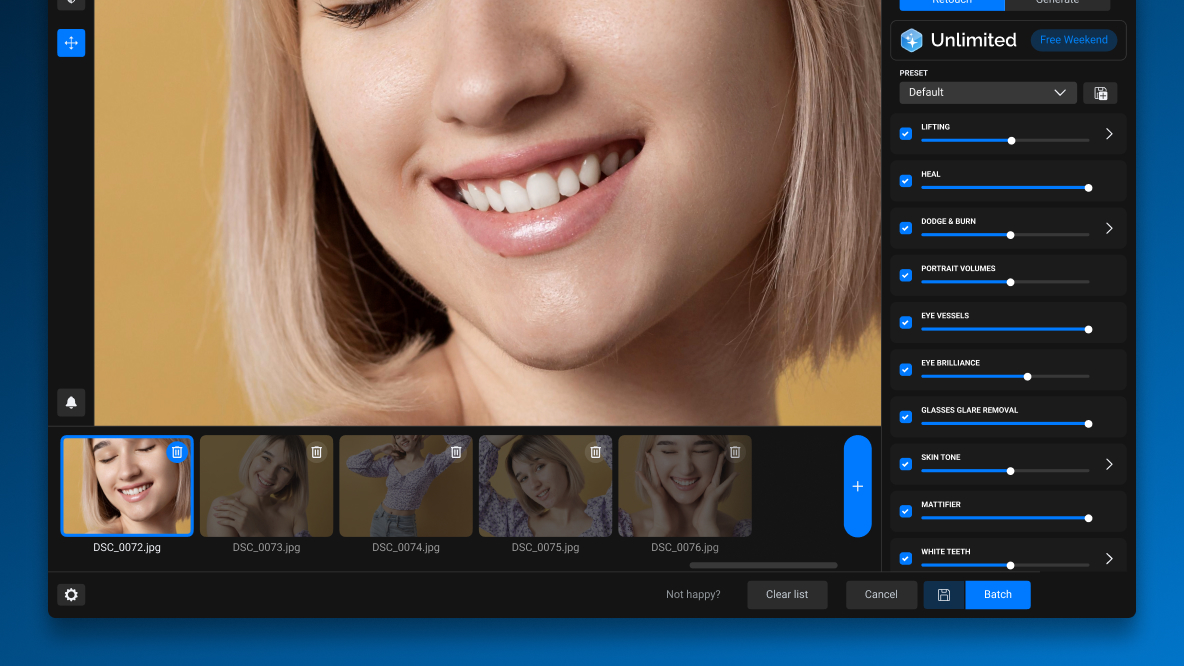
Apex retouches photos in batches. This weekend, test it on a real workload: a full session, or several. For Free Weekend only: process the entire shoot with no credits and no per-photo charges.
Batch processing
Add the whole shoot at once. Apex retouches every photo with the same settings.
Custom Presets
Save your settings once. Get a consistent look across the whole session.
Runs in the cloud
No powerful computer needed. Just an internet connection.
Autosave
Retouched photos go straight to your computer.
The Full Toolkit

The complete portrait workflow. In one app.

Skin, facial dimension, tone, eyes, teeth, hair, double chin, clothing, background, dust and glasses glare. You don’t need to learn every tool before Free Weekend. Start with one photo — Apex will guide you.
Get free access
Skin
Heal
Fixes skin defects
Mattifier
Removes oily shine
Dodge & Burn
Evens out troubled skin
Skin Tone
Evens uneven color
Portrait Volumes
Adds depth to the face
Skin Mask
Precise skin selection
Portrait details
Lifting
Refines facial features
Double Chin Correction
Reduces a double chin
Stray Hairs
Removes flyaway hairs
Eyes Bundle
Vessels, iris, catchlights
White Teeth
Natural, not neon, smile
Scene cleanup
Clean Backdrop
Removes dirt and dust
Fabric
Smooths creases
Dust
Clears specks
Glasses Glare Removal
Removes reflections on lenses
Apex or Photoshop

Two ways to work.

Same control.

Apex app
New to retouching?
Start with the Apex app. Upload a photo, choose the effects you need, adjust the intensity, export.
Apex in Photoshop
Can save layers
Work in Photoshop?
Run Apex as a plugin and bring the result back as layers. Full manual control stays with you.
Prefer Arams? Free Weekend works there too: retouch your shoot with no credits charged.

Your account is ready.
The limits are off.

For two days, try cloud tools on the tasks you usually handle by hand. Glasses glare, backgrounds, clothing, lifting. No credits charged.
Already have an account? Log in
Update Apex
Reviews

Media mentions

The Retouch4me suite would be a great workflow option for any photographer just learning how to retouch. The program is best suited for Photoshop users and Lightroom users who migrate to Photoshop during their workflow. It creates better results than many plugins on the market, such as Portraiture.
Retouch4me plugins take away the tedious part of the work and leave you to do the genuinely creative play with your photos. That’s the real benefit of using them.
While many “AI” portrait tools will turn the subject’s skin into what can best be described as Barbie-doll level plastic, Retouch4Me’s tools help reduce time spent editing and actually provide great results for fashion, beauty, portrait, and headshot images with minimal effort and stress.
Cheklist

Get ready before November 21

Access is open only on November 21 and 22.
Don't spend your free hours on setup.
Add to calendar
  • Register your free account
  • Install Apex and sign in
  • Pick the shoot you want to finish: a wedding, a school series, your backlog
  • Save the date
Know a photographer with a backlog?
Share Free Weekend
Two days without limits are better together.
Copy Link
FAQ

Frequently Asked Question

Is Free Weekend really free?

Yes. Register, and on November 21–22 you can process as many photos as you want with every tool available in the cloud. No credit card required.

When does it run?

Free Weekend runs for 48 hours, on November 21 and 22.

Which tools are included?

Every Retouch4me tool available in the cloud, not only Apex. We recommend starting with Apex: it brings all portrait tools into one app.

Will my credits be charged?

No. Processing during Free Weekend doesn't use credits. Credits you already have stay on your balance.

I already have an account. Do I need to register again?

No. Update Apex, sign in, and Free Weekend activates automatically on November 21.

Do I need a powerful computer?

No. Processing runs in the cloud. You need Windows 10/11 or macOS 10.15+ and an internet connection.

Can I use Apex inside Photoshop?

Yes. Run it as a plugin and get the result back as layers.

Do I keep my retouched photos?

Yes. All results are saved to your computer and stay yours.

What happens after the weekend?

Your account and results stay with you. We'll also send you an exclusive Black Friday offer.

After the weekend

The weekend ends.

Your edits stay.

Every photo you retouched is yours to keep. And on November 23, Black Friday starts at Retouch4me.

NOV 21
Weekend start
Try Retouch4me tools and see the results.
NOV 22
Your results are yours
The photos you retouched during the weekend stay with you.
NOV 23
Black Friday starts
Come back to the tools you tried this weekend.

48 hours.
No limits. Your shoot.

Free Weekend runs on November 21–22 only.
Register now and be ready when access opens.
Get free access
Free account · No credit card · Windows & macOS